QLab doesn't run on Windows.
This does — and it's free.
Run your whole show off the spacebar: audio cues with fades and effects, plus images and titles on a second screen. Coming from a Mac? ZasCue opens your .qlab4 files, so you don't rebuild a thing.
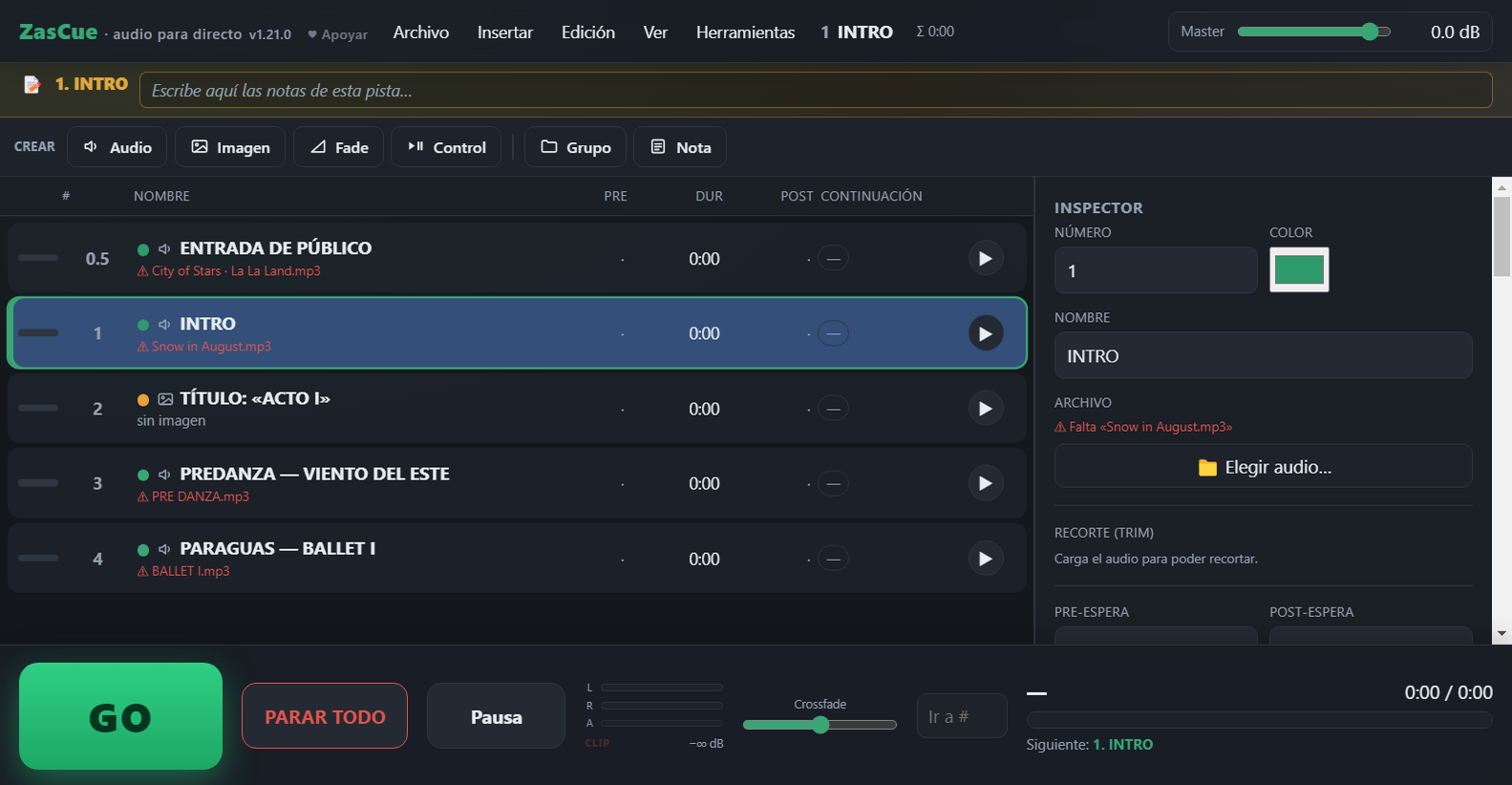
A free, QLab-style cue player for theatre, dance and recitals.
What it does
.qlab4 files.QLab on Windows?
QLab is Mac-only, so there's no official QLab for Windows. ZasCue covers the essentials for live audio and image/title projection. See the full QLab vs ZasCue comparison.
Is ZasCue useful to you?
It's free and ad-free, and it always will be. If you'd like to see it keep growing, chipping in whatever you want helps enormously.
Support the projectSomething broken? An idea?
ZasCue is built by one person, and most of what it does today came from users asking for it. If something doesn't work or you're missing a feature, tell me here — I read every message and reply personally.
Guides
- How to run sound for a play on Windows
- How to open QLab files on Windows
- A free QLab alternative for schools
How to open it on Windows
Download ZasCue.exe and double-click it. The first time, Windows may show a blue "Windows protected your PC" notice — click "More info" then "Run anyway". That's normal for free, unsigned apps; it doesn't mean it's unsafe.
Updating to a new version
Nothing to uninstall. Download ZasCue.exe again and replace the old file — delete it first, or Windows keeps the new one as ZasCue (1).exe and you may keep opening the old version by mistake. Your shows are untouched. The version you’re running shows at the very top, next to “ZasCue”. If you have a taskbar or desktop shortcut, point it at the new file.
QLab® is a registered trademark of Figure 53, LLC. ZasCue is not affiliated with or endorsed by Figure 53.