Is there a QLab for Windows?
Short answer: yes — just not QLab itself, which is Mac-only and always has been. What you can have on Windows, free, is ZasCue: audio cues with fades and effects, images and titles on a second screen, and it opens your .qlab4 projects. Below is an honest comparison — including what ZasCue can't do.
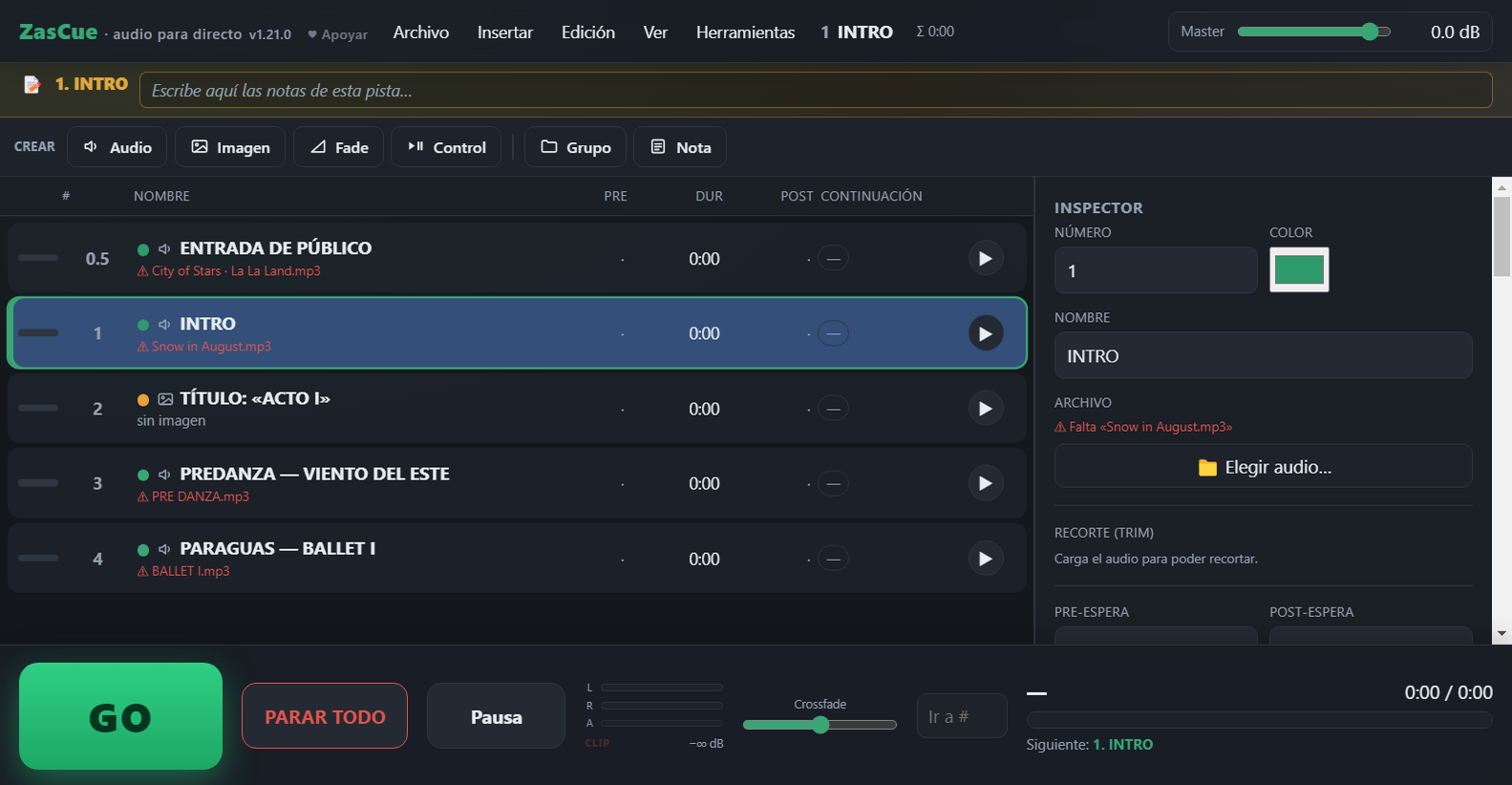
ZasCue in action: cue list, inspector and the GO button.
Is there a QLab for Windows?
No. QLab (by Figure 53) is a macOS-only app: there is no official Windows version and none is planned. If you work in theatre, dance or events and your gear is Windows, you need an alternative. ZasCue was built exactly for that: fire the sound and the on-stage projections of a show with the spacebar, with no Mac required.
Comparison: QLab vs ZasCue
| QLab | ZasCue | |
|---|---|---|
| Platform | macOS only | Windows 10/11 + browser (Mac/Linux) |
| Price | Free basics; paid licenses for pro use | Free, no ads |
| Interface language | English | English and Spanish |
| Install | Installer | Portable (single .exe) or in the browser |
| Audio cues | Yes | Yes |
| Per-cue effects (EQ, filter, compressor, delay, reverb) | Yes | Yes |
| Fades and crossfades | Yes | Yes |
| Volume automation | Yes | Yes |
| Image and title projection (2nd screen) | Yes (also video) | Yes (images and titles) |
| Control cues (start / stop / arm others) | Yes | Yes |
| Soundboard / pads | Yes | Yes |
| MIDI | Yes | Yes |
| Import QLab projects (.qlab4) | — | Yes |
| Video and lighting (DMX) | Yes | No (audio-focused) |
| Best for | All-in-one professional production on Mac | Theatre, dance, recitals and classes on Windows, kept simple |
ZasCue isn't trying to replace QLab for everything: if you need video or lighting control, QLab (on Mac) is still the reference. For live audio + image/title projection on Windows, ZasCue handles it for free.
Frequently asked questions
- Is there a QLab for Windows?
- No, QLab is Mac-only. ZasCue is the closest free alternative for Windows.
- Is ZasCue free?
- Yes, completely free, no ads or account. Portable or in the browser.
- Can I open my QLab projects?
- Yes, it imports
.qlab4files with their audio cues and structure. Step by step: how to open QLab files on Windows. - Do I need to install anything?
- No: a single portable
.exe, or use it in the browser with no install. - What language is the app in?
- English and Spanish. It opens in English automatically, and you can switch any time in Settings ⚙ → Idioma / Language.
- Is anyone using ZasCue in real shows?
- Yes. Teatr Muzyczny Druga Zwrotka, from Ostrów Mazowiecka (Poland), ran the sound for its production “Kwiat Paproci” on ZasCue. Its sound engineer doesn’t have a Mac, so no QLab; he tested ZasCue heavily before the show and then ran it live. Read it in ZasCue on stage.
Is ZasCue useful to you?
It's free and ad-free, and it always will be. If you'd like to see it keep growing, chipping in whatever you want helps enormously.
Support the project